Updates 2.0
29 Oct 2026 - Jonas Salling
Updates 2.0 is here! It adds a feature I wasn’t sure Updates would ever get, tidies up the Library, makes a lot more of the app free, and runs on iPhone Duo. Also, Updates now speaks French and Japanese.
Playback Queue
Home always has the next episode of each show ready to play, and when an episode ends, Updates loads the next show on Home, so you can start it with the button on your headphones. But sometimes you want to plan ahead: on a bike commute, say, when you can’t reach for your phone. Now you can line up your next few episodes before you leave, and they’ll play one after another, in the order you choose, while the phone stays in your pocket.
Swipe left on any episode and tap Queue, or long-press it and choose Play Next. The queue is optional, and nothing goes into it unless you put it there. When it’s empty, Updates works just like before.
A tidier Library
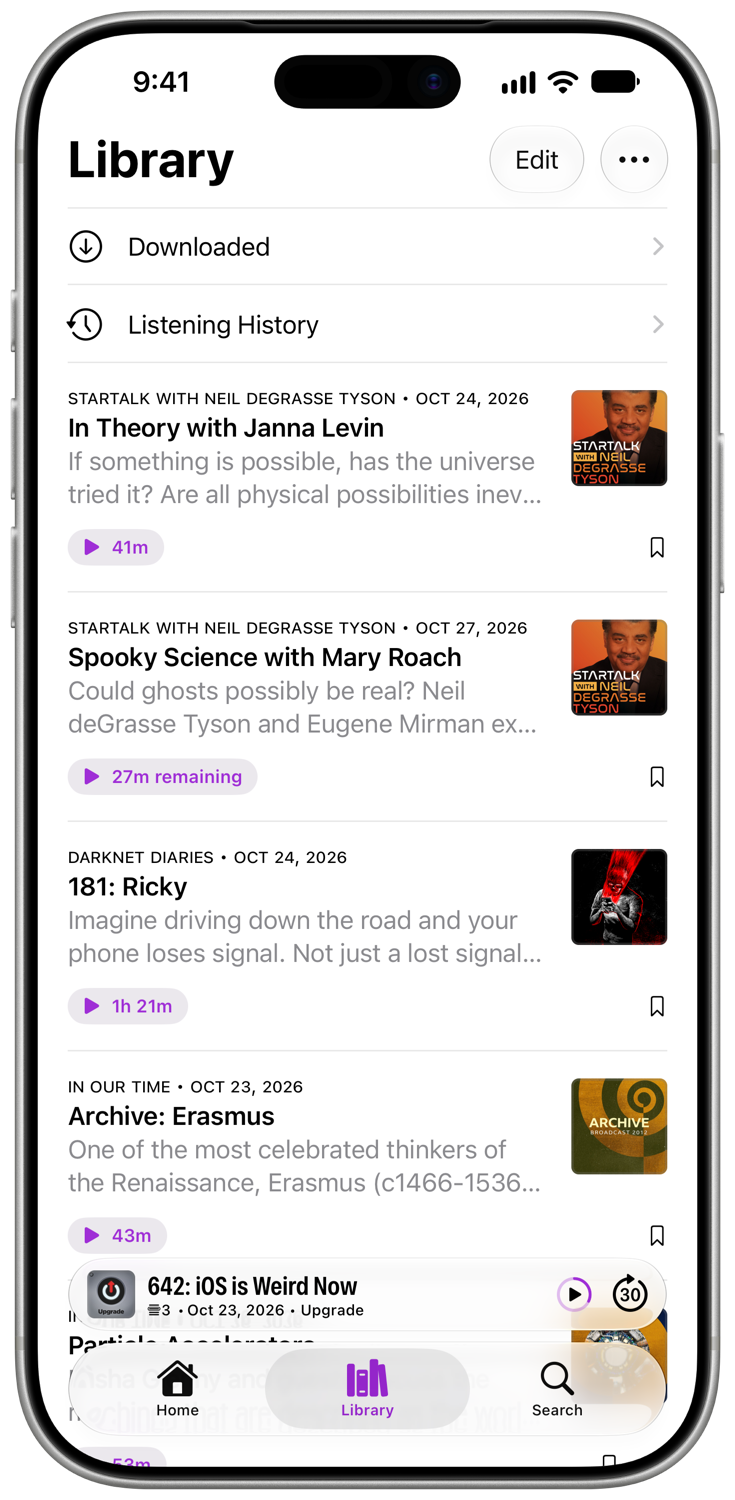
Any episodes you save or download will show up in the Library tab. You can arrange the unplayed episodes in any order you like. Played episodes are hidden by default, so the Library stays fresh. If you want, played episodes can be made visible through a toggle in the menu.
The Library tab also houses your Listening History along with a full list of your downloaded episodes, played or not.
More free for everyone
Sleep Timer, Listening History, filters, pinned podcasts and changing a podcast’s Next Episode Rule are now free. You can also save and download as many episodes as you like: the 10-episode limit is gone.
Updates is an indie app, and Premium is what keeps it going. If Updates has become part of your day, going Premium is the best way to support it, and it’s very much appreciated. As a thank-you, Premium adds per-podcast speed, intro and outro skipping, custom skip buttons, and a choice of app icon and accent color.
Updates supports iOS 17.4 and later.